Accessibility is one of the most important issues in communication. We want to offer everyone comprehensive access and unlimited opportunities to participate in all areas of life. This also applies to us, especially in the conception, design, and development of web-based applications, i.e., websites, web shops, mobile apps, and much more. To ensure that we at DRIVE can work well and comprehensively in this area, we provide ongoing training and education, have developed processes, and use tools. These make our design work significantly easier and are important for our customers. Here is a brief insight, compiled by our experts.

Accessibility in web design
What is “accessibility”? The definition
How we and others understand and want to achieve “accessibility” has already been explained above. The term itself is defined in Section 4 of the German Act on Equal Opportunities for Persons with Disabilities (Behindertengleichstellungsgesetz, BGG) as follows. The highlighted sections indicate the points that are important to us.
Barrier-free access means that buildings and other facilities, means of transport, technical equipment, information processing systems, acoustic and visual sources of information, communication facilities, and other areas of life that are designed for people with disabilities can be found, accessed, and used in the usual way, without significant difficulty, and in principle without external assistance. The use of aids necessary due to disability is permitted.
Grundsätzliche Ziele im Bereich Web-Kommunikation
- Leichte Zugänglichkeit von Webangeboten für ALLE ermöglichen
- Barrieren vermeiden
- Barrieren reduzieren
So we want to move toward an Internet that is as accessible as possible.
Legal Requirements
Legal Foundations:
- Directive (EU) 2016/2102
- German Disability Equality Act (BGG)
- Additionally, specific regulations of the individual German federal states must also be observed.
Implementation Guidelines:
- Accessible Information Technology Ordinance (BITV 2.0)
- Web Content Accessibility Guidelines 2.1 (WCAG 2.1)
Why do we need accessibility on the web?
And what does this mean for our specific requirements in projects for us and our customers? When it comes to conception and design, we therefore always ask ourselves questions like these right from the start:
- What needs might our target groups have when using the Internet?
- How might our target groups navigate the web?
- What challenges do our target groups face?
For example, people with impaired vision or limited motor skills. We illustrate this with examples and through dialogue with users.
The 7 pillars of digital accessibility in web design
How do we implement accessibility in web design and what does this mean here?
1. Alternatives for graphics and multimedia
Can the website be used without graphics?
2. Contrasts and colors
Is all information available in sufficient contrast with individual color combinations?
3. Enlargement
Is it possible to enlarge the font and still keep it appropriate in context?
4. Linearization
Is the website just as easy to understand without CSS?
5. Focus management and dynamic components
Can the website be navigated adequately using the keyboard?
6. Comprehensibility, navigation, and orientation
Is content accessible in different ways (navigation, search, etc.) and is it understandable?
7. Structured content
Do form elements have descriptive labels and are they correctly arranged?
Dos and don'ts for accessibility in web design
In order to implement accessibility effectively in web design, we at DRIVE have compiled specific dos and don'ts for certain target groups. These serve as guidelines and rules for our designers when designing pages and applications, navigation, layouts, entry points, and all other elements. For example:
- Designing for users with autism
- Designing for users with hearing impairment or deafness
- Designing for users with motor impairments
- Designing for users with reading difficulties
- Designing for users with visual impairments
- Designing for users of screen readers
Preparations for accessibility testing
All tests are based on the list of test steps according to bitvtest.de. We use the test steps to prepare the design and development and check all elements ourselves. However, there is always some leeway in every test, which must be taken into account.
Goal: The test seal
When we carry out the test, we generally recommend aiming for the seal. This means slightly higher costs than without the seal, but it is of course possible to carry out the test without obtaining a seal. However, this is usually not recommended.
Good: Plan two tests
For the seal, you should plan two tests: the first finds any errors and sends the measures to be taken, the second test checks the corrections – the test is very rarely passed the first time, with around 92 test steps. The test itself takes two weeks, with the current lead time being 4 to 6 weeks. During the test, two people independently test different pages and compile the results.
We like to work with foundations or, for example, associations for the blind or other associations during the test. They have a lot of direct daily contact with people and their individual barriers. This gives the tests a different quality and improves their application.
Relevant test steps for web designers according to bitvtest.de
Our designers at DRIVE have specific checklists to help them prepare, and are equipped with useful tools and the necessary software.
(We won't reveal what these are just yet, but we'll be happy to show you if you have specific requests or tasks :-))
In addition, everyone at our company is trained and equipped to work in concept, design, development, and project management. Concrete tasks, case studies, and benchmarks allow everyone to engage intensively with the tasks and issues at hand. These are also very important and helpful in the early conception and design phases for discussion with customers in projects.
Recap and outlook
Our goal is to make the web accessible to EVERYONE! The task and challenge here is to reconcile the different wishes of customers with accessibility requirements.
- With the help of our checklists, we want to and can take this into account in EVERY design.
- We use tools and software. Because it really makes it easier! And it helps to find lots of creative solutions to achieve accessibility!
- It is always very important not to forget testing. With documentation based on the checklists.
Accessibility will always play a major role
We expect that the requirements and test steps will continue to evolve in the future. It will therefore be important to repeat or recheck even after the initial test has been passed.
Certification is beneficial
Certification is also important. It helps to improve the application. And the certificate obtained shows everyone that the company or organization takes these users seriously and wants to make their lives as easy as possible, thereby opening up opportunities. And that is a positive development.

Stephan Probst
More blog posts

Boundless Visions in the “Ninth Art”
High-profile comic art exhibition “UTOPIA” at the Kunstverein Wunstorf

Create films and animations using AI tools
This is how we create animated, moving brand stories that exceed your expectations.
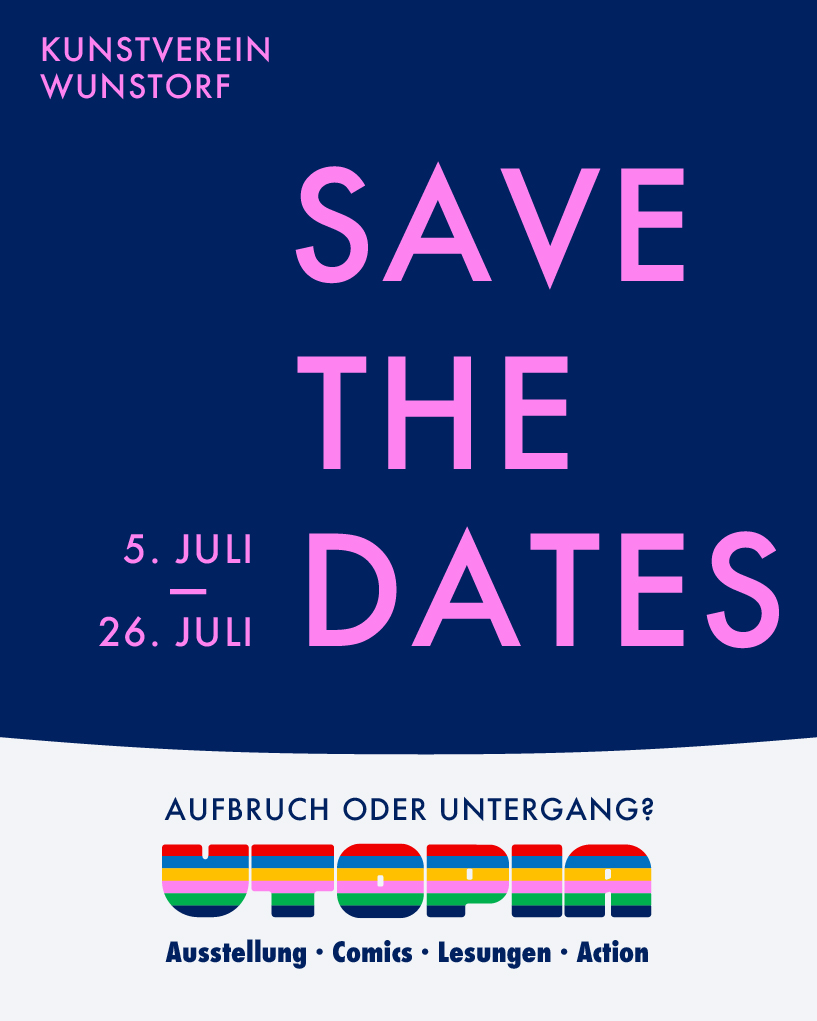
Invitation to the Opening Reception: UTOPIA – Breakthrough or Collapse?
COMIC Artists sharpen our vision, seek new paths, and open up new worlds.

Congratulations, dear Pader!
You've won the European Heritage Seal! What a wonderful honor!