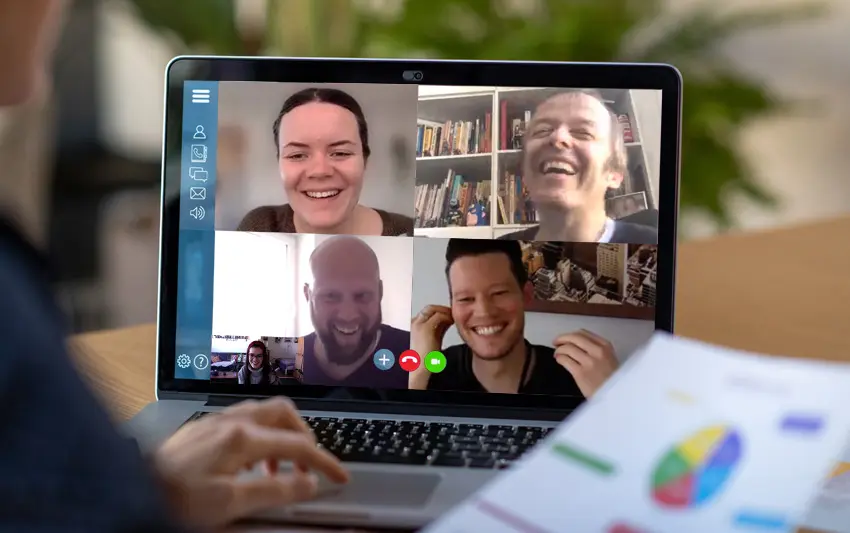
The current situation has forced many companies to send their employees to work from home. Often very quickly and sometimes even hastily, tools must be found to enable communication not only by email or telephone, but also to allow team members to see each other. We have listed a few tools for you. We are familiar with most of them from our own work and experience. Can you think of any others? We look forward to your input and questions at pole-position@drive.eu.
Data protection
When using any tools, please observe your own data protection regulations and those of your clients, as these tools naturally have different server locations and your data should definitely not be circulating on servers all over the world!
Collaboration and meetings
- Microsoft Teams: Part of the Office 365 cloud service, basic version free | Office programs can be easily integrated | Chat, video, monitor sharing, etc. | Desktop and mobile | Very reputable and popular with large companies: https://products.office.com/de-de/microsoft-teams/group-chat-software
- Slack: Basic version free | Chats (open and closed) | Audio and video conferencing for up to 15 participants | No screen sharing | Desktop and mobile: https://slack.com/intl/en-de/
- Skype: Free Microsoft program | Chat function | Video conferencing and IP telephony for up to 50 participants | Screen sharing | Good to know: Skype for Business is now Microsoft Teams: https://www.skype.com/de/
- Google G.Suite: Hangout Calls: https://gsuite.google.com
- Zoom: free for video conferences: https://zoom.us
- ATTENTION! The American tool Zoom has difficulties with data protection. More here and updated on May 25, 2020 on br.de: HERE (Links in German)
- GoToMeeting: free for video conferences | easy initial setup: https://www.gotomeeting.com/de-de
- Webex: Free for up to 100 participants for 90 days during the coronavirus pandemic | Video conferencing with monitor sharing, whiteboarding, collaborative document management, and remote access to participants' computers: https://www.webex.com/de/index.html
Project management
- Microsoft Office: Standard, widely used and also available with cloud solutions | Very diverse range of programs, e.g. Microsoft One Drive is similar to Google Drive: https://products.office.com/
- Google: Cloud solution | With Google Drive, you can edit documents, presentations, or spreadsheets simultaneously and in real time without overwriting content | Up to 15 GB free of charge | Professional business solution available for a fee
- Zoho “Remotely”: free until July 1 | word processing programs, presentations, and spreadsheets | from India: www.zoho.com/remotely/
- JIRA: virtual project management for small and large teams | work time tracking, planning and structuring of tasks in a calendar | from Atlassian | also available as a cloud solution, well suited for communication with clients | fee required: https://www.atlassian.com/en/software/jira/enterprise and https://www.atlassian.com/en/software/jira
- Trello: virtual project management | employees can see responsibilities, tasks, and deadlines | from Atlassian: https://trello.com
- MeisterTask: Similar to Trello | See this as an alternative: https://www.meistertask.com/de
- Wunderlist: Super popular with designers and other creative types | Being discontinued and transitioning to Microsoft To-Do (which designers don't like as much): https://www.wunderlist.com/switch
- Teamviewer: Remote access and remote maintenance software | Audio and video conferencing also available | Currently, during the coronavirus pandemic, the version can also be used for work purposes; otherwise, there is a fee: https://www.teamviewer.com
- AnyDesk: Good alternative to Teamviewer | Allows remote access to PCs, tablets, and smartphones | Quick to set up: https://anydesk.com/en
IT security
- Last Pass: Desktop and app | also available free of charge: https://www.lastpass.com/de
- KeePass: open source and free keepass.info and more information here: https://www.heise.de/download/product/keepass-15712
- Passbolt: open source and free: Password manager for teams so that everyone has access to the necessary software and programs: https://www.passbolt.com/
- VPN with Vodafone: Please note: If you have set up a VPN network at home and are a Vodafone client, the required websites may not load. A quick call to Vodafone is all it takes to switch your network from IPv6 to IPv4, and everything should work normally again.
- VPN service: Even if your employer does not offer a VPN, it may make sense to use such a service. Since you are surfing with the IP address of the VPN server, you are more difficult to track. In addition, the Internet connection to the provider is encrypted, which means that your Internet provider cannot track which websites you are visiting. More information can be found in this blog article by PrivacyTutor. (Link in German)
There are a few basic principles you should keep in mind here, because the current situation is also an invitation for hackers:
- Use secure passwords: 12 characters are the minimum, but 16 or more are better | Use different passwords for different accounts | Best: randomly generated and secure passwords, which can be easily generated with one of the programs mentioned above.
- 2-factor authentication: E.g., via a code sent by text message.
- Security updates: Make sure your programs are always up to date. This includes your browser, office software, operating system, Acrobat Reader for PDFs, and all other tools you use on a daily basis. This also applies to the devices you use to set up your home Wi-Fi network, such as routers. You can find updates on the manufacturers' websites.
- Protect your Wi-Fi! Change your Wi-Fi's default password. To do this, enter the router's IP address in your browser, which is usually 192.168.2.1. The login details are located at the bottom of the device. You can then change the login details for the router and Wi-Fi in the settings.
- IMPORTANT: Most digital communication channels are insecure because they are not encrypted. Write as if you were writing postcards that the postman could read, e.g. when using Slack, unencrypted emails or WhatsApp.
- Store data securely: DO NOT use cloud services for important documents. Do not store them locally either, but on a hard drive or network storage device, both of which should also be secured and, ideally, encrypted. If you have to work locally, encrypt your data too!
- The biggest risk is sitting in front of the monitor, at the keyboard: it's you. NEVER! NEVER! NEVER! attach files to emails from senders you don't know, that seem strange to you, or that you're not completely sure are safe. Don't even click on these emails! If you have even the slightest doubt: CALL!!! You are also welcome to call DRIVE: 0511-6407060
For all of these topics: Get help from experts, including us: pole-position@drive.eu
After work
- Doodle: Scheduling appointments via survey: doodle.com/de/, loved by everybody because it's super simple
- Discord: Voice and text chat, monitor sharing | Originating from the gaming scene | Can be used on desktop and mobile devices | Great as a fun gadget due to its origin and design: discordapp.com. But: it is also allegedly used by terrorist groups, so it should not necessarily be recommended for communication with large companies, as it might not be well received.
- Spotify: Yes, Spotify – you and your team often go out for a drink or dancing after work anyway. Listening to music and dancing in your living room with your colleagues is still possible – create a shared playlist, get up and dance, throw your arms in the air and sing along. www.spotify.com/de/
- Familytime: Don't forget this either: take care of your loved ones and spend time together, e.g., with a board game night? (Of course, observe the current government regulations for group activities!)
Feel good @Home
Your home office is just as important. Yes, it takes up part of your private space, but now this place is where you spend around eight hours a day. So you should feel comfortable there so that you enjoy going to work in the morning, even if it's only two steps away. Don't give up your work routines, don't jump out of bed and sit down at your desk straight away.